
Google Ads help businesses reach potential customers, generate leads, and increase website traffic. However, poor keyword selection, weak ad copy, incorrect bidding, and inadequate performance tracking lead to wasted ad spend. Effective management of Google Ads requires regular monitoring and timely adjustments. Understanding common Google Ads management mistakes helps businesses improve campaign performance and use their advertising budgets wisely.
Key Takeaways
- Choose relevant keywords and use negative keywords to reduce irrelevant clicks and wasted ad spend.
- Select bidding strategies that match campaign goals and use accurate conversion data.
- Write clear, relevant ad copy and direct users to suitable landing pages.
- Track conversions to measure campaign results and identify areas for improvement.
- Review geographic, device, and audience targeting to reach relevant prospects.
- Monitor budgets and key performance metrics regularly to improve Google Ads performance.
- Optimize mobile landing pages to encourage more users to complete desired actions.
- Consider expert Google Ads Management support to refine campaigns and generate qualified leads.
Common Google Ads Management Errors
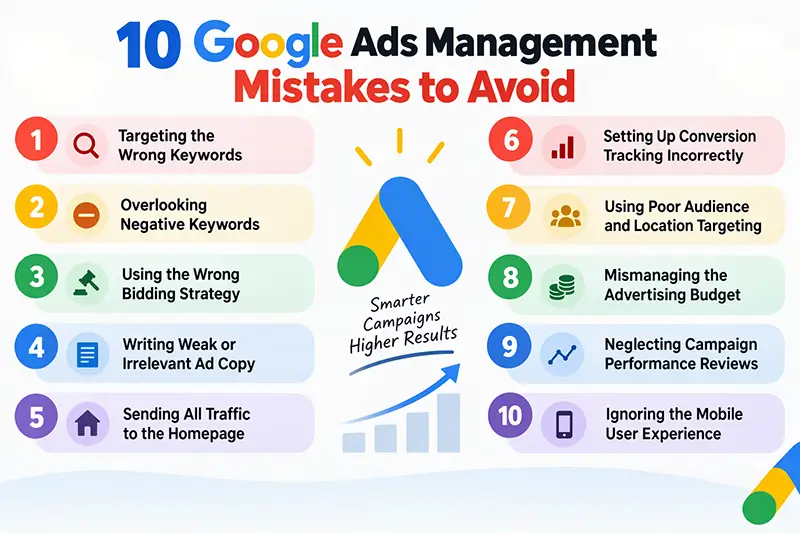
Understanding the common mistakes to avoid when managing Google Ads campaigns helps businesses reduce wasted ad spend and improve results. Here are 10 common mistakes and practical ways to prevent them:
- Choosing the Wrong Keywords: Broad or irrelevant keywords attract clicks from users who are not interested in your products or services. For example, a business selling premium office furniture should target specific terms such as “premium office furniture for businesses” instead of relying only on “furniture.” Conduct keyword research to identify relevant search terms and use specific, long-tail keywords with clear purchase intent. Review search terms regularly and add negative keywords to exclude irrelevant queries.
- Ignoring Negative Keywords: Without negative keywords, ads may appear for searches related to free products, jobs, or services you do not offer. This wastes budget on irrelevant traffic. Review search terms regularly and add negative keywords to exclude unrelated queries. Check these lists periodically to avoid blocking relevant searches.
- Choosing the Wrong Bidding Strategy: Selecting a bidding strategy without considering campaign goals, conversion data, and budget leads to inefficient spending. These are among the top Google Ads bidding mistakes businesses make. Start by defining your campaign goal, such as generating leads, increasing sales, or attracting website traffic. Choose a bidding strategy that matches your objective, verify conversion tracking before using conversion-based automated bidding, and set realistic cost-per-acquisition (CPA) or return on ad spend (ROAS) targets. Review results before making major bidding changes.
- Writing Irrelevant or Unclear Ad Copy: Ads that fail to address user needs or communicate clear benefits attract fewer qualified prospects. A mismatch between ad copy and landing-page content also discourages conversions. Write clear ads that match search intent, highlight relevant benefits, and include a specific call to action. Test different headlines and descriptions, and ensure the landing page delivers what the ad promises.
- Directing All Ads to the Homepage: A homepage does not always provide the information users need after clicking a specific ad. Visitors may leave if they struggle to find the advertised product or service. Direct each ad to a relevant landing page with clear information and a suitable call to action. Check page speed, mobile usability, navigation, and form functionality to make it easier for visitors to take action.
- Incorrect Conversion Tracking: Clicks and impressions do not show whether campaigns generate leads or sales. Missing tags, duplicate events, and incorrect conversion settings also lead to misleading reports. Track important actions, such as purchases, form submissions, qualified calls, and appointment bookings. Test tracking setups, remove duplicate events, and verify that recorded conversions reflect genuine user activity. Accurate data provides a clearer view of Google Ads performance.
- Poor Geographic, Device, and Audience Targeting: Incorrect targeting attracts users outside your service area or those unlikely to become customers. Ignoring device and audience data also makes campaign optimization difficult. Set geographic targeting according to your service areas and review performance across locations, devices, and relevant audience segments. Use these insights to refine targeting and make adjustments based on meaningful data rather than limited evidence.
- Inefficient Budget Management: Spending too much on underperforming campaigns leaves fewer resources for campaigns that generate qualified leads or sales. Frequent budget changes without reviewing results also make performance harder to assess. Set budgets based on business goals, available resources, and expected conversion costs. Monitor spending, cost per lead, conversion volume, and revenue. Review underperforming campaigns before reallocating funds.
- Failing to Monitor Campaign Performance: Launching a campaign is only the first step in Google Ads account management. Without regular reviews, businesses miss rising costs, declining conversion rates, and irrelevant search queries. Review key metrics, including click-through rate (CTR), conversion rate, cost per conversion, and ROAS where relevant. Compare results over meaningful periods, investigate performance changes, and test improvements one at a time.
- Overlooking the Mobile User Experience: Slow-loading pages, difficult navigation, and complicated forms discourage mobile users from completing purchases or submitting inquiries. Test landing pages on different mobile devices and check loading speed, readability, button placement, and form functionality. Review mobile conversion data and fix issues that prevent users from taking action.
Improve bidding strategies, refine keyword targeting, and track conversions with expert Google Ads management support.
FAQs
What are the most common Google Ads management mistakes?
Common mistakes include choosing irrelevant keywords, ignoring negative keywords, using the wrong bidding strategy, and failing to track conversions or monitor campaign performance.
How do negative keywords improve Google Ads campaigns?
Negative keywords prevent ads from appearing for irrelevant searches, reducing wasted ad spend and directing traffic toward more relevant audiences.
How do you choose the right Google Ads bidding strategy?
Choose a bidding strategy based on your campaign goals, such as generating leads, increasing sales, or attracting website traffic, and ensure conversion tracking is accurate.
Why is conversion tracking important in Google Ads management?
Conversion tracking measures actions such as purchases, form submissions, and qualified calls, helping businesses evaluate campaign results and make informed decisions.
How often should businesses review Google Ads campaign performance?
Businesses should review campaign performance regularly to identify spending issues, assess key metrics, and make data-driven adjustments based on meaningful trends.
Conclusion
Avoiding common Google Ads mistakes requires proper planning, accurate tracking, and regular campaign reviews. Keyword selection, bidding, conversion tracking, and landing-page quality all affect campaign results and advertising costs. Effective Google Ads account management relies on performance data and customer intent. Regularly review campaign metrics and adjust strategies based on results.
A structured approach to Google Ads Management reduces wasted ad spend and improves opportunities to generate qualified leads and sales. Working with an experienced Google Ads management service provider is a practical way to improve campaign strategy and monitor performance.
Reduce wasted ad spend and attract more qualified leads with effective campaign optimization.